 MPE Insight
Release notes
Every update, as it was sent.
These are the update letters that go out by email, kept here so they can be read and linked afterwards. Each entry stays exactly as it was on the day it was sent, so an older one describes the app as it stood then, not as it stands today.
MPE Insight 2.6: FORGE turns the picture into a cloud of points you can fly through and play
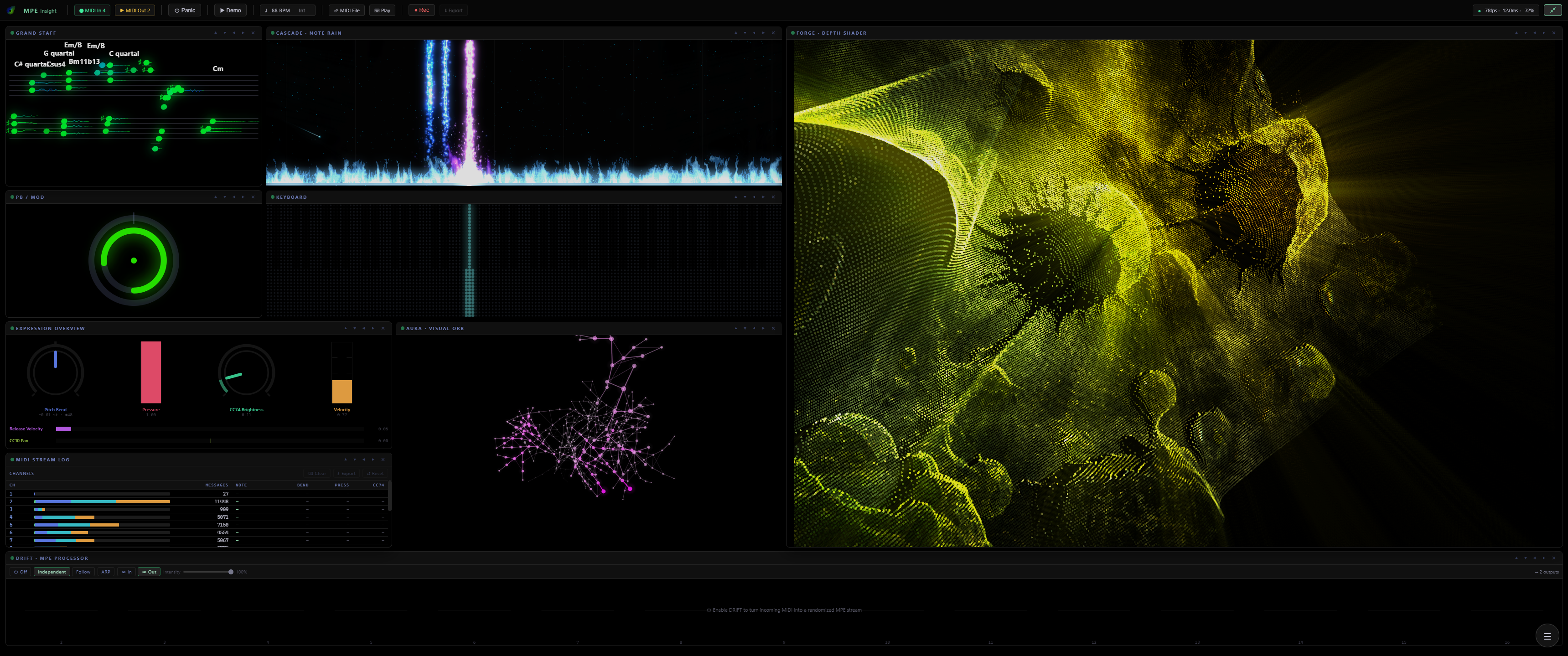
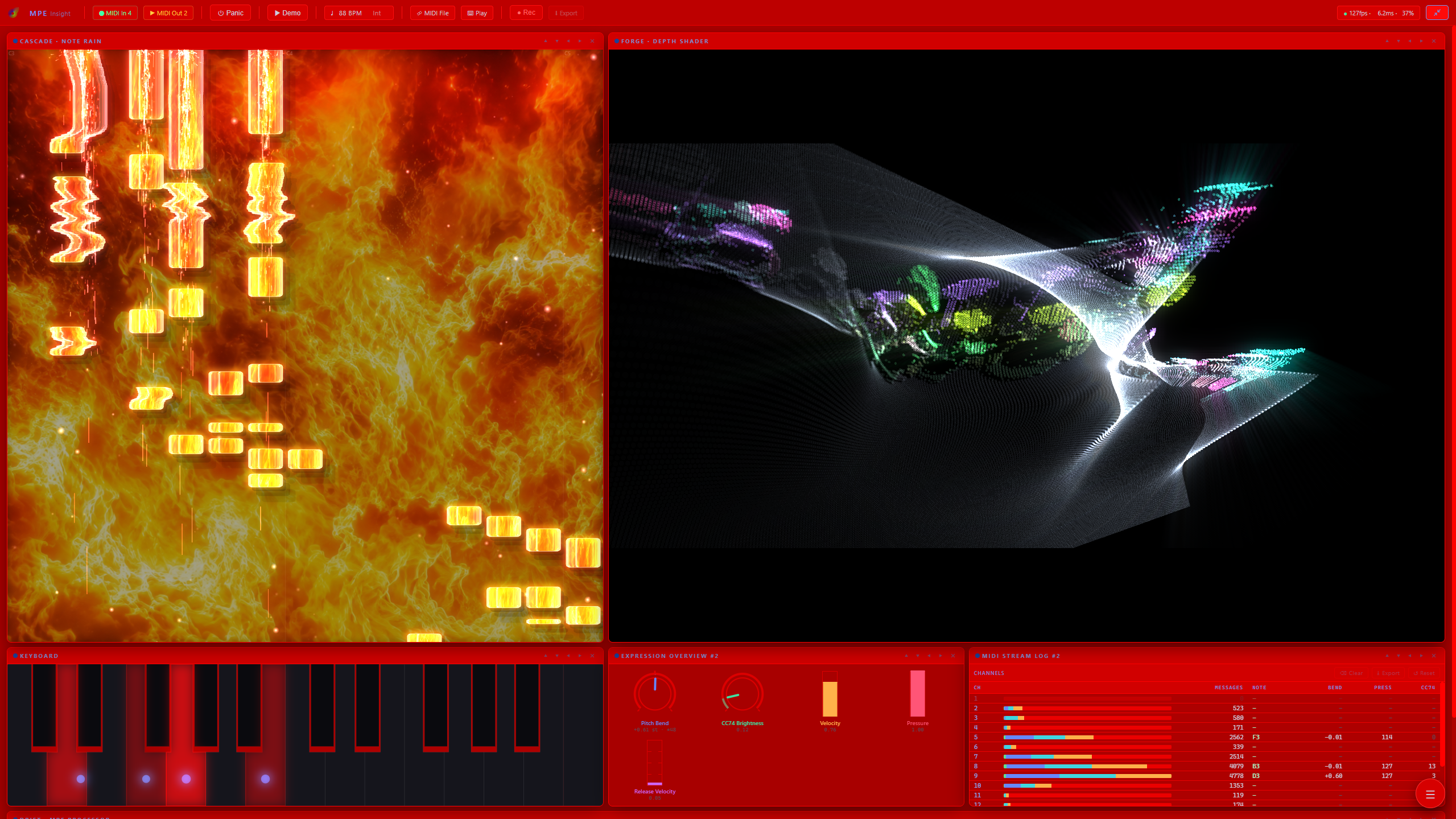
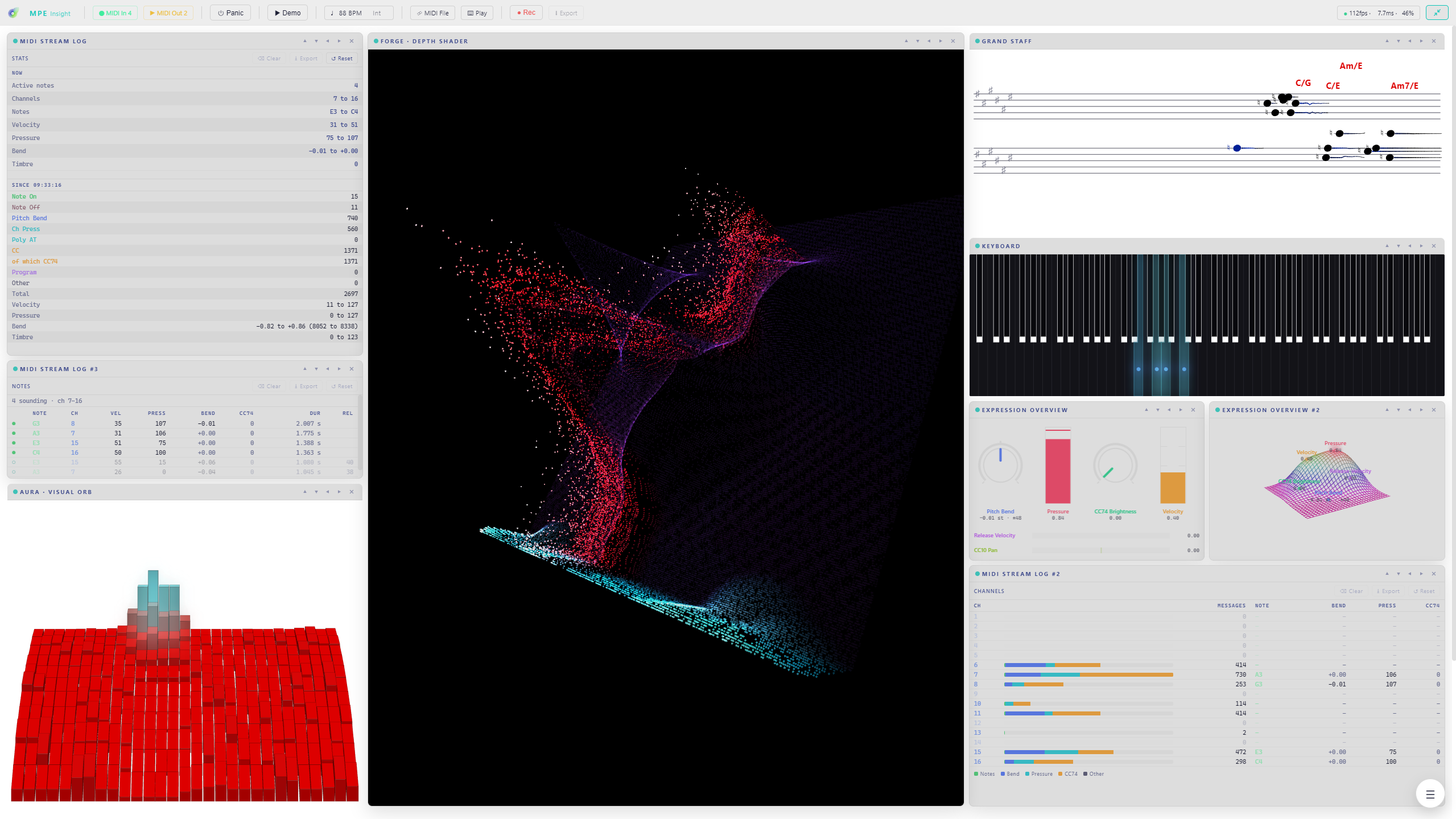
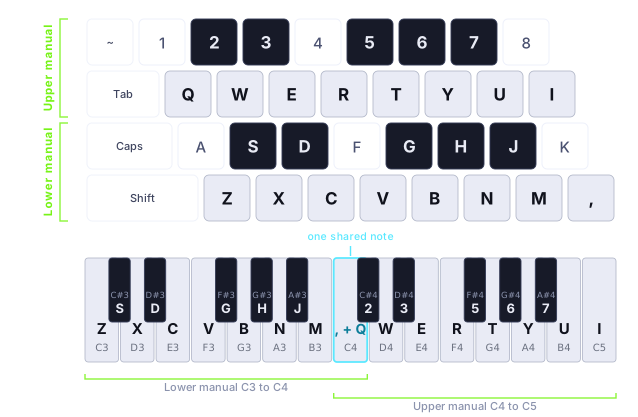
FORGE has always turned a picture into a scene you fly through. In 2.6 the picture itself comes apart. Point Cloud rebuilds it as a grid of points and pushes each one into real depth by the depth map, so the Virtual Camera flies between them instead of across a flat plane. And the cloud plays: strike a note and the points inside its disc come at you, pressure holds them out, slide opens the cone wider, pitch bend moves it sideways. Choose hard Dots, soft Splats, or Glyphs that stamp a character per point from a set you type in yourself, so the image comes back written in your own letters. Spin turns the whole cloud on a free axis, winding up while you play and settling back upright in silence. Cells takes the other road and leaves the frame whole, redrawing it cell by cell as ASCII, halftone or dither over any source. Both need WebGL2. And once you are done flying, 2.6 removes the last thing you needed in order to play at all: Typing Keys puts two manuals under your hands on the computer keyboard, so a laptop on a train is enough.
New
- FORGE Point Cloud: the picture rebuilt as a cloud of points with real depth, to fly through and to play. Hard Dots, soft Splats, or Glyphs that stamp a character per point, from a character set you type in yourself. WebGL2 required
- Point Cloud Spin: the whole cloud turns on a free axis, with Speed, Axis and Lean, winding up while you play and settling back upright in silence
- FORGE Cells: the finished frame broken into a grid and drawn cell by cell, as ASCII, Halftone or Dither, over any source. WebGL2 required
- CASCADE impacts combine: ten independent layers at the key line instead of one choice, so a shower of sparks can sit inside a fountain. An Own color switch gives every armed layer one shared colour, and note ribbons gain a Chrome finish next to Diamond and Glass
- Typing Keys: two manuals under your hands, eight white keys each, Q W E R T Y U I over Z X C V B N M , with the sharps on the row above each. Those are key positions, not letters: a QWERTZ or AZERTY board plays the same shapes under the same fingers, and the Keyboard module labels every key with the caps you actually have
- Space is the sustain pedal, Shift accents a note, and the octave moves with the arrow keys or the numpad plus and minus, far enough that every key of your chosen keyboard size can be reached
- DRIFT makes it expressive: one click turns every typed note into a full MPE voice with its own pressure, bend and CC74
- A new Play pill holds both ways to play without a controller, typing and Mouse Mode, and MIDI Out is left to ports and routing
- Expression Overview gains a fifth mode, Rack: every source drawn as the piece of studio gear you would read it on, and every row lets you pick Auto, Knob, Meter or Bar
- MIDI Learn now reaches the FORGE Conductor: three more learn slots, Enable, Range and Cycle, so a fader box or a pedal can switch it on and drift its range live, no mouse required
- The MIDI Stream Log gets four views: Events, Notes, Channels and Stats, every log remembering its own, with eight message types in colours you can edit
- DRIFT’s power switch belongs to the rest of the app: a preset states it, a snapshot restores it, and Panic switches it off, so a runaway arp cannot restart the problem it just cleared
- 25 keys as a fourth keyboard size, next to 88, 61 and 49, and the sustain pedal is read properly: switch, continuous, or detected automatically, with an invert for the normally closed ones
- Global Snapshots reorder by dragging, export or delete only the rows you mark, and ⊘ All Off reaches CASCADE and AURA so a look can start from an empty frame
MPE Insight for macOS just went live on the Mac App Store. Same app, same 24 AURA styles, DRIFT, CASCADE, FORGE, running natively on Apple Silicon (macOS 12 and newer). It's its own purchase there; nothing about the Windows version changes.
AURA has three new styles, and one of them finally remembers what you played. Hold a note in Filament and a glowing thread grows out of it, forks, and fuses with what it touches, so a phrase builds one lit net instead of springing back the way every other style does. That brings AURA to 24 styles.

New
Three new AURA styles
Block Terrain is a voxel landscape that rises and falls under your playing, with CC74 pulling the ridge toward you. Glass Spiral rolls that same terrain onto a spiral under true perspective. And Filament grows its net into the depth until it dissolves there.
Every FORGE effect on its own controls
FORGE used to treat its rack as one machine: one size, one clock for everything. Now each of the fourteen effects carries its own, and its own place on the keyboard as well, so a Glitch can sit under your left hand while a Vortex answers on the right. Pick 12 or 88 keys, centered, or a mapping of its own, per effect instead of once for the whole rack. Motion Speed is gone because nothing needs it any more.
FORGE finds the ground
The camera has a floor to stand on. Focus and fog measure real distance now instead of filtering the picture. The kaleidoscope also gains a complexity dial: curved seams, concentric shells and a second offset lattice.
One clock for the whole app
The internal tempo moved into the toolbar as a single pill, and the Conductor, Glitch and Strobe lock to it or to incoming MIDI Clock.
A redrawn interface
One slider style everywhere, labels and readouts on a single line, sections that fold as you open the next, and any control that cannot act right now greys out instead of disappearing. Every module gains a Library tab, and the channel filter gets a tab of its own. Tiles move freely: drag one anywhere on the grid and it stays there, shift-drag swaps two. And velocity now stands in for pressure across every AURA style, so a short strike shows even on a keyboard without aftertouch.

Next
Coming to the Mac
MPE Insight is submitted to the Mac App Store and in review right now. It runs on macOS 12 and newer, Apple Silicon only. It is its own purchase there, and nothing about the Windows version changes. I will write again the day it goes live.
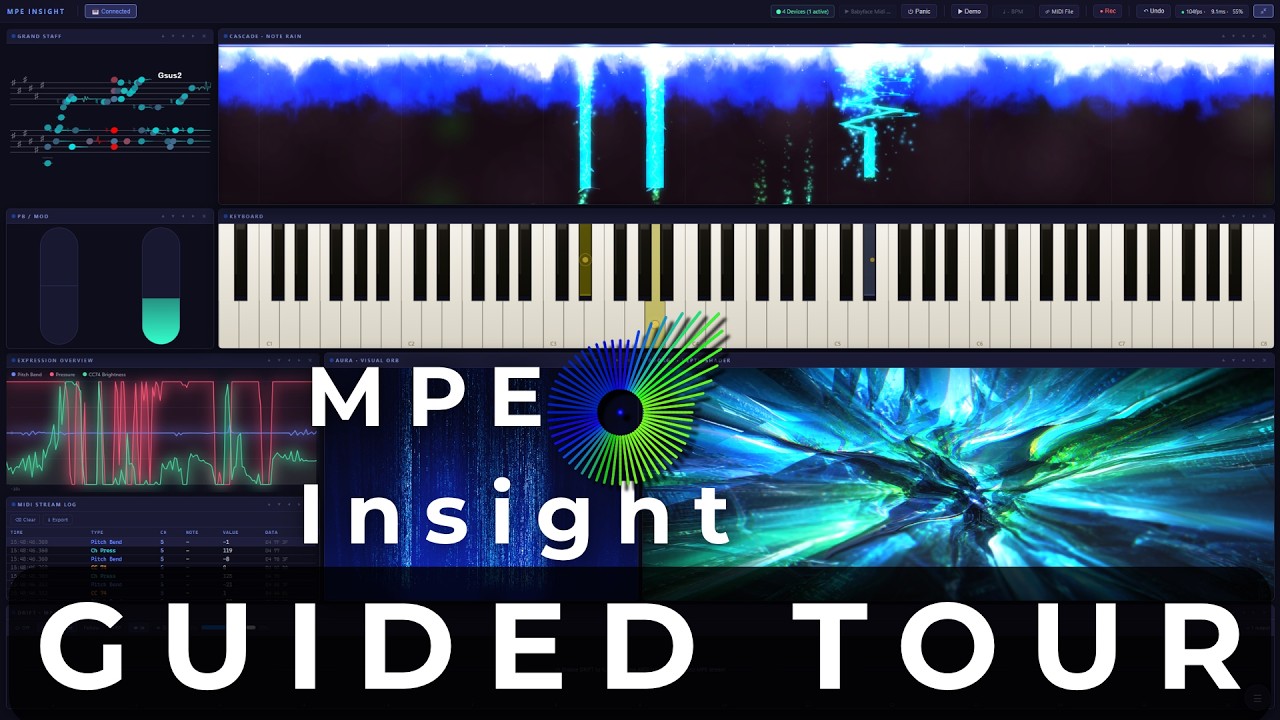
The app explains itself now. Start MPE Insight and a short guided tour walks you through the toolbar and all nine modules, one card at a time, with each module animating right next to it. I recorded that tour end to end, so you can see the whole app in two minutes before you touch anything.
New
Guided Tour
Sixteen steps across the toolbar and every module, each with a few sentences and that module's own animation. It runs once by itself after this update, ends whenever you press Skip or Esc, and can be replayed any time from the About menu. It borrows Demo Mode while it runs, so there is always something moving, and it hands your layout and settings back exactly as it found them.
Demo Mode now shows the whole app
While the demo runs it steps every module through its presets, and FORGE and DRIFT have now joined that rotation. Drop a picture or a clip into FORGE and its looks start cycling with it. So the whole app is on show, not just the six modules that were cycling before.
Three new FORGE looks
Tape Deck runs your picture through a worn cassette, and the harder you play the further the signal degrades. Heat Haze gives every note its own pocket of hot air. Molten Core turns the whole frame molten and keeps churning even when nothing is played, which makes it a good look to leave running on stage.
DRIFT reaches further
The pitch LFO now goes up to two full semitones instead of one, still counted in cents at every size.
MPE Insight is on Steam
MPE Insight now has its own Steam page, with the same version you are running. Nothing changes for existing owners: your download and your licence keep working exactly as before. It is simply there for anyone who would rather keep it in their Steam library.
Fixes
- The Grand Staff draws bends truthfully in every key and across the whole panel
- Switching DRIFT on while a key is already down no longer leaves that note sounding
- Demo Mode leaves nothing behind when you stop it
- The activation window no longer comes up blank on start
MPE Insight 2.2 is available now. A new way to read harmony, a new keyboard design, a new FORGE pass, and one quieter change that touches every module: the app now reads the pitch bend range your instrument actually reports.
New
Weave: harmony as shape
The Grand Staff gets a fourth mode, and it drops the staves entirely. Pitch is no longer a height, it is a position on an interval field: one step to the right is a fifth, the two diagonals are the major and minor third.
Everything follows from that. A chord becomes a shape, and every major triad is the same triangle in every key. Transposing moves that shape instead of redrawing it. Voice leading becomes distance. Pitch bend climbs straight up through the field, so the length of the trail is the interval.
Two looks, field width, afterglow so released chords linger as fading figures, key gravity, triad fill, and labels that read as scale degrees or note names.
Pixel Grid
An eighth keyboard design: an LED raster lit from above, in three layouts. Piano draws the key silhouette in dots, Fingerboard gives every semitone an equal column, and Grid puts one lane on each MPE channel. Glow Trail and Splash combine freely, with their own density and pixel size.
Retro Pixel VHS
A FORGE pass that runs last, on the finished frame: scanlines with a slow rolling tracking bar, a phosphor dot glow raster, RGB chroma tear that bursts on every strike in MPE mode, grain, and a duotone tint with its own colour. All five controls are available as Conductor targets.
MPE Insight now reads your instrument
Bend used to be drawn against an assumed 48 semitones. The app now listens for the pitch bend range your controller reports and draws every bend at its true size, per channel and per MPE zone. The Keyboard, CASCADE, AURA, the Grand Staff and the Expression Overview all follow it, with a new Auto (from instrument) setting that is on by default.
CASCADE
- Sustain pedal: a pedalled note keeps drawing until the pedal lifts, instead of ending with the key
- Beat and bar grid: phase locked to incoming MIDI clock, so you can see whether a note landed on the beat
- Much lighter rendering: a note without modulation draws up to 40 times fewer shapes, so dense MIDI files scroll far more smoothly
Fixes
- Chords played on a single MIDI channel, which means any non-MPE keyboard and any single channel MIDI track, showed as one note in CASCADE, the Keyboard and AURA, and stayed lit until the last key came up. Every module now reads held notes directly
- Fast notes are no longer lost between frames, and two strikes inside one frame no longer read as a single long note
- MIDI channel 16 was treated as a member channel instead of the upper zone's master, which scaled bend wrongly in every module at once
- A sustain pedal message with no matching release could hang every note that followed, out of reach of the panic button. The panic button now clears it
- The released key of a non-MPE chord could stay lit on the Keyboard and the Grand Staff
- AURA Tonewheel: the glowing note marker stayed on the struck key while its trail moved away. It now follows the sounding pitch
- The Keyboard calibration sliders did nothing until the next note arrived
- The standalone installer no longer clears your saved snapshots when you install a new version over an old one
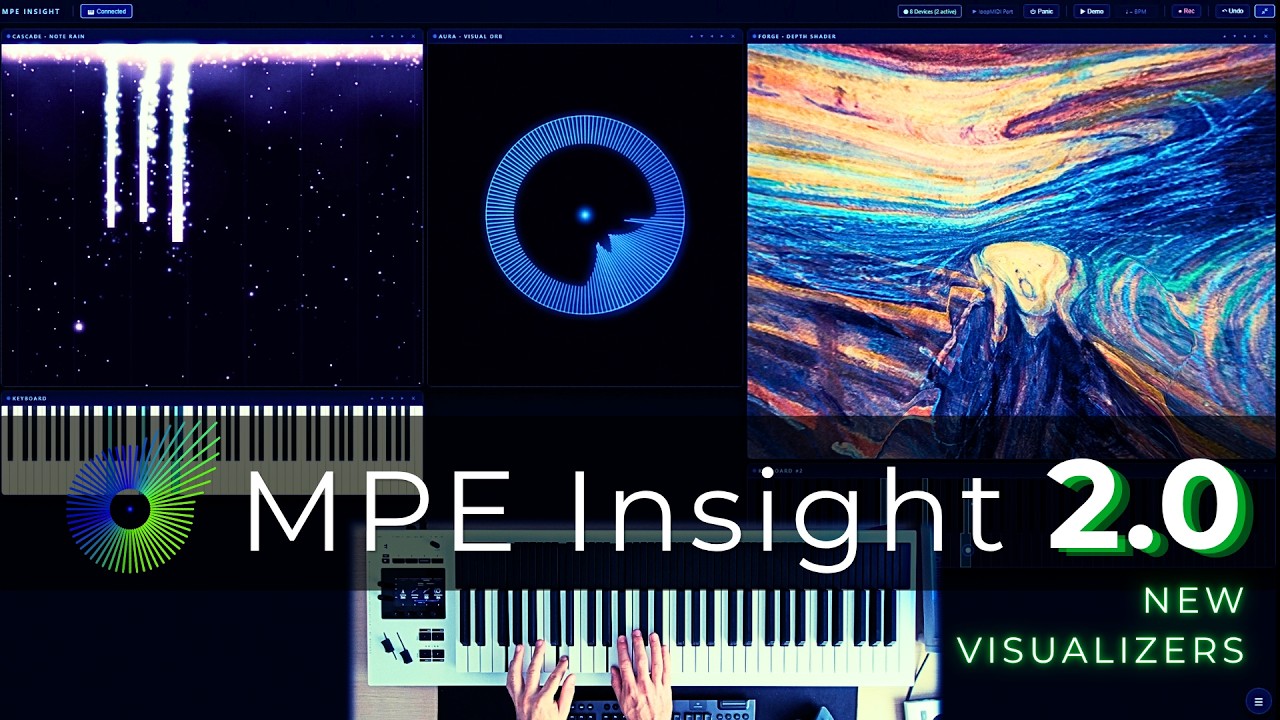
This is a big one. MPE Insight v2.0.0 is available now — with two completely new modules, saveable snapshots, and a long list of fixes and layout improvements.
New module
CASCADE — Note Rain
A note-rain visualiser that sits above the keyboard. It plays from two sources: your live MPE — notes are born at the strike line and travel away from it, with pitch bend drifting them sideways and pressure blending their colour — and any imported MIDI file, scrolling in with full transport (play, pause, stop, seek, loop, speed). Five combinable render layers (Bars, Particles, Lightning, Matrix, Plasma), a hand split with its own gradient per hand, impact effects on landing, and post-effects like bloom, god rays and fog.
FORGE — Depth Shader
A live WebGL shader for any image or video, driven by the same MPE data every other module reads. Drop in a picture or clip and it reacts to your playing in real time. On first load FORGE uses AI to estimate a depth map of the image and builds real parallax and relief from it, not a flat filter. A full stack of effects (parallax, normal-map relief, strobe, heat shimmer, kaleidoscope, chromatic aberration, zoom, tunnel warp, camera shake and more) can each be switched between off, MPE-driven, or a fixed value.
Saveable snapshots
Save and recall your whole setup as named snapshots, and export or import them as files — so you can build a setlist and carry it to another machine.
Countless fixes & layout improvements
A wave of bug fixes and layout polish throughout the app, making everything smoother and more reliable.
Quick update: MPE Insight v1.2.0 is available now, and a Steam release is coming soon.
New
MIDI Learn for live snapshot switching
Learn a Note, CC (pedal), or Program Change to step to the next/previous Global Snapshot hands-free, mid-performance. Uses MIDI Channel 1 only, the MPE “Manager” channel, so it never collides with real performance data. Program Change can even sync MPE Insight with the rest of your live rig on the same message.
Global Snapshots: now an unlimited, reorderable playlist
No more fixed 10-slot limit — add as many as you like and reorder with the arrow buttons. Export or import the whole list at once as a “playlist” file, handy for building a setlist and moving it to another computer.
Cleaner UI
Presets and Snapshots are now two compact tabs in every module panel instead of two stacked sections.
I put together a complete walkthrough video of MPE Insight. It covers every module in the app, played on the Osmose CE, what each one does, and how they work together to visualize expressive MIDI in real time.
One purchase, every module, no subscription.
Get MPE Insight →